
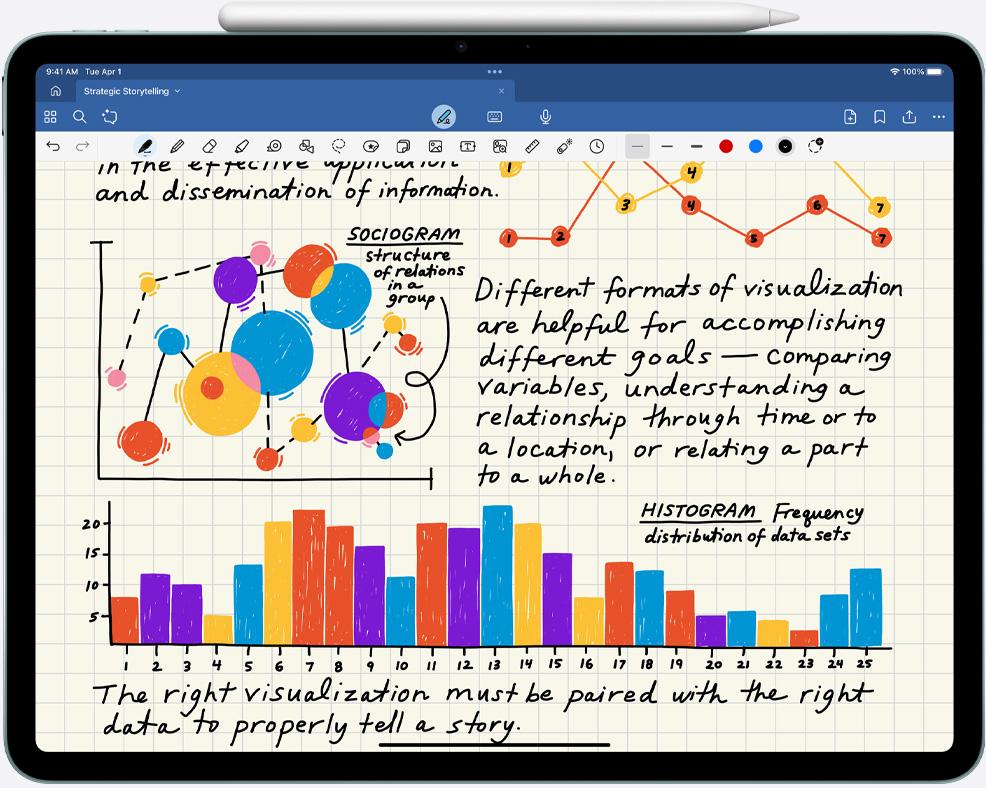
When I first started my engineering journey, one of the biggest challenges was organizing notes, diagrams, formulas, and assignments. Engineering subjects like calculus, physics, and electrical circuits require a lot of handwritten work. Carrying multiple notebooks quickly becomes messy and inefficient.
That’s when many students start looking for a digital notetaking solution. After researching and talking to other students, one device consistently stood out of the iPad Air 256GB. For many students, including myself, it quickly becomes clear why it is often considered the Best iPad for engineering students.
In this blog, I’ll explain from a real student perspective why the iPad Air 256GB is one of the smartest purchases an engineering student can make.
The Reality of Engineering Note Taking
Engineering is not like many other majors where typing notes on a laptop is enough. In engineering classes, you constantly need to:
- Draw circuit diagrams
- Solve equations step by step
- Sketch graphs and systems
- Annotate lecture slides
- Work through complex calculations
Typing equations in real time during a lecture is almost impossible. That’s why handwritten notes are still the best way to learn engineering concepts.
The iPad Air paired with the Apple Pencil essentially replaces multiple notebooks and keeps everything organized in one place.
Apps like GoodNotes or Notability allow you to write naturally, just like pen and paper, but with the advantage of digital tools.
Why the iPad Air 256GB Is the Best iPad for Engineering Students
Many students debate between different models like the base iPad, iPad Air, and iPad Pro. While the iPad Pro is powerful, most engineering students simply don’t need that level of performance.
The iPad Air 256GB hits the perfect balance between power, portability, and price.
Here are the reasons why.
1. Perfect Performance Without Paying for Unnecessary Power


The iPad Air is powered by Apple’s M1 chip, which is incredibly fast. This is the same chip that powers many laptops.
For engineering students, this means the device easily handles:
- Large PDF textbooks
- Note-taking apps
- Split-screen multitasking
- Technical apps
- Graphing tools
You can open lecture slides on one side of the screen and take notes on the other without any lag.
The iPad Pro may offer slightly more power, but realistically, for note-taking and studying, the iPad Air already performs flawlessly.
So paying hundreds more for the Pro usually doesn’t make sense for most students.
2. Apple Pencil (Gen 2) Makes Note Taking Feel Natural
One of the biggest reasons students buy an iPad is the Apple Pencil, and the iPad Air supports the Apple Pencil Gen 2, which is a huge advantage.
With Apple Pencil you can:
- Write naturally like a real pen
- Draw engineering diagrams
- Highlight lecture slides
- Solve math problems step by step
- Annotate PDFs instantly
The latency is extremely low, meaning the writing feels smooth and responsive.
For engineering students, this makes the iPad feel less like a tablet and more like a digital engineering notebook.
3. 256GB Storage Gives You Peace of Mind
This is one of the most underrated reasons why the iPad Air 256GB is the best choice.
Many freshmen debate between 64GB vs 256GB, and at first the cheaper 64GB version seems tempting. But once you start using the iPad for an entire degree, storage becomes important.
Engineering students usually store:
- Hundreds of lecture PDFs
- Large textbooks
- Handwritten notebooks
- Lab reports
- Design files
- Backup notes
Over four years, this adds up quickly.
Many students online say something similar to this:
I’m leaning toward the 256GB iPad Air because I want some wiggle room with storage. I don’t want to stress about running out of space.
And honestly, that mindset is correct. When you’re busy with assignments, the last thing you want to worry about is deleting files to free storage.
The extra storage gives you long-term flexibility.
4. Perfect for Digital Organization


One of the biggest advantages of using an iPad is organization.
Instead of carrying separate notebooks for:
- Calculus
- Physics
- Circuits
- Programming
- Lab notes
You can keep everything inside organized folders.
For example:
Semester 1
- Calculus Notes
- Physics Notes
- Engineering Drawing
- Lab Reports
If you need a formula you wrote two months ago, you can simply search the keyword, and the app will find it instantly.
This is something traditional notebooks can never do.
5. Lightweight and Perfect for Campus Life
Engineering students already carry heavy backpacks filled with laptops, textbooks, and lab materials.
The iPad Air helps reduce that load. It is:
- Thin and lightweight
- Easy to carry all day
- Comfortable for studying anywhere
Whether you’re in class, the library, or a study group, the iPad Air is incredibly convenient.
Many students even stop carrying physical notebooks completely.
6. Long Battery Life for Full Study Days
Another major advantage is battery life.
The iPad Air easily lasts an entire day of lectures and study sessions.
This means you can:
- Take notes during multiple classes
- Study in the library
- Review PDFs and textbooks
without constantly worrying about charging.
For students with long schedules, this reliability is extremely helpful.
7. Perfect for Reading Engineering Textbooks
Engineering textbooks are usually massive and expensive.
With the iPad Air, many students switch to digital textbooks, which allows them to:
- Highlight important concepts
- Write notes directly on pages
- Bookmark chapters
- Search specific terms instantly
Instead of carrying multiple heavy books, everything stays inside one device.
8. Why Not the iPad Pro?
Many engineering students consider the iPad Pro as well.
However, for note teking, the extra cost usually isn’t worth it.
The iPad Pro offers:
- 120Hz display
- Slightly better speakers
- More advanced cameras
But for the typical engineering workflow notes, PDFs, diagrams, and studying the iPad Air already performs perfectly.
That’s why many students choose the Air and save the extra money.
Real Student Perspective
As one incoming electrical engineering student explained when deciding between models:
I’m buying the iPad only for note-taking and I’ll pair it with the Apple Pencil Gen 2. I’m leaning toward the iPad Air 256GB because I won’t really use the extra features of the iPad Pro, and I want enough storage so I don’t have to worry about running out.
This is a practical decision that many engineering students agree with.
The iPad Air gives you everything you actually need without paying for features you may never use.
Final Thoughts
Choosing the right device as an engineering student can make a big difference in how efficiently you study.
After considering performance, storage, portability, and price, it’s easy to see why many students consider the iPad Air 256GB the Best iPad for engineering students.
With the Apple Pencil Gen 2, it becomes a powerful digital notebook that can handle years of engineering coursework.
You can organize notes, annotate textbooks, draw diagrams, and keep all your study materials in one place.
For freshmen starting their engineering journey, the iPad Air 256GB offers the perfect balance of power, flexibility, and longterm usability.
And most importantly, it removes the stress of managing countless notebooks and files, allowing you to focus on what truly matters learning and building your engineering skills.
reddit user:
